

FlyLM focuses on that earlier experience. It offers a separate community environment for exploring an older style of MLBB rather than following the current live game.
Some players remember a game through its biggest updates. Others remember the lobby they opened after school, the hero they first learned, or the matches they played with friends. For longtime Mobile Legends: Bang Bang players, the 2019 period can bring back those memories.
However, it helps to understand the project before downloading anything. This guide explains its purpose, the appeal of classic gameplay, and the practical details that Android users should check before starting.

What Is FlyLM?
FlyLM is an unofficial fan project aimed at players who miss the look and feel of Mobile Legends around 2019. Its focus includes the atmosphere and gameplay differences associated with the M1 era.
Think of it as a place for nostalgia, comparison, and experimentation. You can approach the experience with questions about how the game once looked or how older gameplay differs from what you know today.
However, FlyLM does not represent an official historical mode from Moonton. It operates separately from the current Mobile Legends service. Therefore, you should not expect official account support, shared progress, or an identical experience across every community release.
For a closer look at another mobile gaming platform, our LV666 apk guide covers login help, bonus terms, and payment options.
Why the 2019 Era Interests Players
Familiar details can make an older game feel personal. A menu layout or battlefield design may remind you of your first favourite hero. Likewise, a different match rhythm can bring back habits you have not used for years.
For returning players, that connection gives historical content its appeal. The attraction does not always come from better graphics or more features. Sometimes, you simply want to revisit something familiar.
Meanwhile, newer players may enjoy the comparison. Exploring an earlier style can help them understand why longtime fans discuss old designs, past mechanics, and previous ways of playing.
What Makes the Experience Different?
A Focus on Earlier Game Design
FlyLM centres its identity on an earlier period of Mobile Legends. That gives the project a different purpose from a live game that continues to change.
When exploring it, pay attention to the small details. Notice how the presentation affects your experience and whether familiar actions feel different. These observations can make the visit more interesting than simply rushing through matches.
Nostalgia and Familiarity
Players who remember 2019 may recognise aspects of the older atmosphere. However, memories often blend several updates together.
As a result, your recollection may not match every detail you encounter. Treat the project as a community interpretation of an earlier experience rather than proof that every feature exactly reproduces your favourite period.
Room for Gameplay Comparisons
An older game environment can encourage you to question familiar habits. For example, you might look more closely at skill timing, positioning, or how you approach a fight.
Still, check what the available build actually includes. Do not assume that a guide for another release describes the version on your phone.
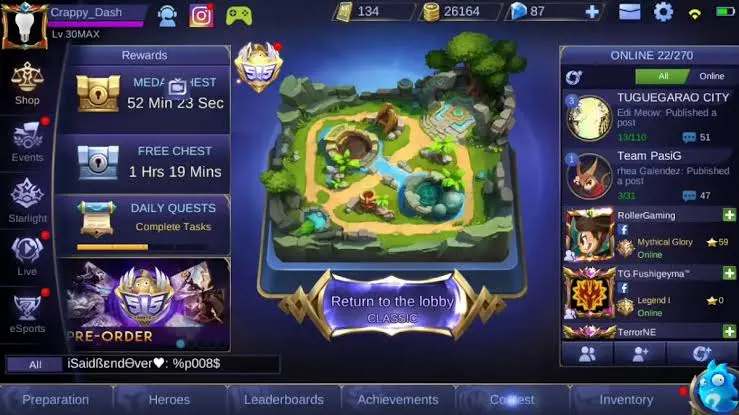
FlyLM vs the Current Mobile Legends Experience
The main difference comes down to purpose. The official game serves players who want its current content and ongoing progression. FlyLM appeals to people who want to revisit an earlier style through a separate fan project.
That difference also changes how you should approach practice. General habits, such as watching your surroundings and communicating clearly, remain useful. However, specific hero combinations or item choices may not carry over.
Therefore, keep historical exploration separate from preparation for current ranked matches. Enjoy the comparison, but check the official game before applying an old tactic to your next competitive session.
Who Might Enjoy FlyLM?
The project may appeal to longtime players who want to revisit familiar ideas without expecting the latest MLBB experience.
It may also interest people who enjoy looking at how games change. Comparing older and newer designs can reveal which details you prefer and which improvements you now take for granted.
On the other hand, players who mainly want official events, current ranked competition, and dependable account support may find the standard game a better fit.
Before you begin, decide what you want from the experience. A clear goal helps you judge it fairly.
What to Check Before a FlyLM Download
Start by checking who provides the file. A page can use the correct name and artwork without proving that it represents the project.
Next, look for clear release information and recent community announcements. Check whether they describe the same build, installation method, and server status.
Also, look for device requirements that match the actual file. Do not rely on a requirement copied across several download pages.
Useful details include:
- The release date and build name.
- The Android versions the release supports.
- Storage needs, including additional game files.
- Known problems or missing features.
- Instructions for updates and account recovery.
These checks can save time before you install.
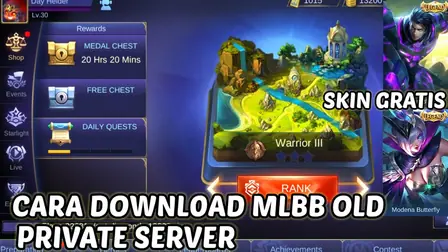
How to Approach Android Setup
The exact setup process depends on the release and its distribution method. Therefore, follow instructions that clearly match your chosen build rather than borrowing steps from an unrelated video.
Before starting, make enough room for the installation and any extra resources. Then use a stable connection while downloading.
If Android asks you to approve installation from another source, read the prompt carefully. Do not turn off security checks simply because a download page tells you to ignore a warning.
After installation, open the app and review its initial instructions. Keep your official Mobile Legends password separate from any community account you create.
What to Explore During Your First Session
Start With the Menus
Take a few minutes to look around before entering a match. Find the settings, review the available options, and see how the interface compares with your memory.
This also gives you a chance to notice missing content or unexpected behaviour early.
Check Available Hero Information
Read the skill descriptions that the build provides. Even when a hero looks familiar, avoid assuming that every mechanic matches the current game.
Instead, approach the character as something you may need to learn again.
Focus on One Difference at a Time
Choose a simple question for your first session. You might compare movement, skill timing, or the overall pace.
Trying to assess everything at once can make the experience confusing. A smaller focus gives you a clearer impression.
Simple Tips for Returning Players
Start slowly, especially if you have spent years learning the current version. Your hands may follow habits that no longer suit the older environment.
Next, favour careful observation over quick judgement. One unfamiliar match does not tell you whether a mechanic feels better or worse.
If you play with friends, discuss the differences you notice. Someone else may spot a detail that you missed.
Finally, separate nostalgia from performance. You can enjoy an old visual style while still preferring newer controls or balance choices. There is no need to choose one era as the winner.
Performance and Connection Problems
Older visuals do not automatically mean better performance. Your phone, the available build, and the server connection can all affect how the game runs.
If you notice stuttering, close other demanding apps and check whether the settings offer a suitable graphics option. Also, let your phone cool down if it feels unusually hot.
For connection problems, test your internet outside the game first. Then check for community notices about downtime.
Avoid deleting files or reinstalling immediately. First, confirm how the project stores progress and whether you can recover your account. A rushed reinstall may create another problem without fixing the original one.
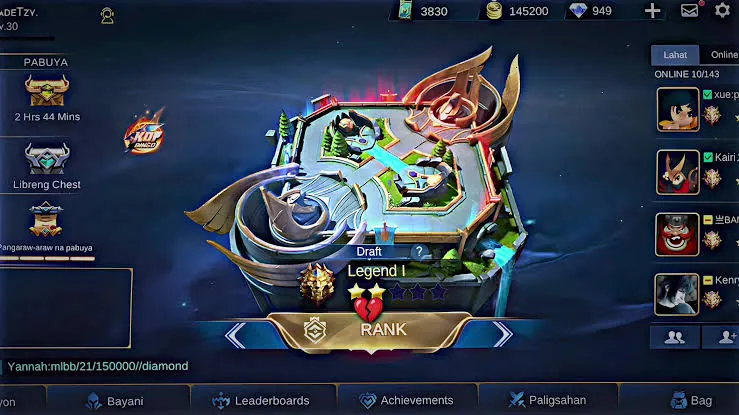
Accounts, Progress, and Unlock Claims
Treat the community environment and your official MLBB account as separate. Do not expect ranks, purchases, or rewards to transfer between them.
Likewise, avoid assuming that every FlyLM APK includes the same heroes, cosmetics, or resources. Community features can change, while download pages may keep outdated descriptions.
If a particular feature matters to you, check recent information for the exact build. This applies especially to claims about unlimited currency, complete unlocks, or permanent access.
The project’s main appeal lies in revisiting an earlier experience. Extra rewards should not replace careful checks about what you are actually installing.
Frequently Asked Questions
No. It is an unofficial community project focused on an earlier MLBB experience, rather than an official release from Moonton.
Do not expect shared ranks or progress. Treat the fan environment and the official game as separate services.
No guarantee supports that assumption. Check the release notes for available features and known limitations.
It may encourage general practice, but specific mechanics can differ. Check current skills and balance before applying older strategies.
Final Thoughts
FlyLM gives interested players a reason to revisit the style of Mobile Legends they remember from 2019. Its appeal comes from familiar details, historical comparisons, and the chance to explore an earlier approach to gameplay.
Go in with realistic expectations. Check the release information, protect your account details, and take time to notice the differences. Then judge the experience by how well it satisfies your curiosity about that earlier era.
Leave a Comment